You are using an out of date browser. It may not display this or other websites correctly.
You should upgrade or use an alternative browser.
You should upgrade or use an alternative browser.
Free target generator
- Thread starter shotdiagnostic
- Start date

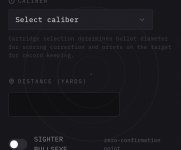

Agree, that is not ideal. Will fix.I love the idea. My only comment is this bullseye thing laid over the middle of the page is distracting.
View attachment 1125156
Thank you kindly!Like it, great idea. Useful.
Respect !
Thanks to You !!! Always great seeing smart people doing smart things !Thank you kindly!
Maybe, ( ...while you're already at it and just as an idea ) you can incorporate a scope tracking option later on ?
Basically a 'target' that you can put up at a known (chosen) distance (i.e. 300m) with markings that reflect scope clicks. 1/4 MoA , 1/10 Mil and so on...
Thanks for the kind words. The diagnostic grid mode already gets you most of the way there. Each square is a true angular increment at whatever distance you set, so you can dial your scope and count squares to verify tracking. Give it a try and let me know if it covers what you need. If not, could consider a mode that is the other way around, where the primary parameter is turret clicks.Thanks to You !!! Always great seeing smart people doing smart things !
Maybe, ( ...while you're already at it and just as an idea ) you can incorporate a scope tracking option later on ?
Basically a 'target' that you can put up at a known (chosen) distance (i.e. 300m) with markings that reflect scope clicks. 1/4 MoA , 1/10 Mil and so on...

thirdeye462
Member
- Location
- Toronto, ON.
This is so timely! I'm just about ready to hit the range for the first time, and I was hoping there was something out there that generated calibrated targets like this. Aside from the benefit of water-proof paper, I can't really justify spending money on retail target stock - not at some of the prices I've seen.Got tired of printing targets with no real measurement built in, paying for apps, or buying overpriced target packs. So I built my own. MOA or MIL grids, a precision challenge mode, a tuning mode with numbered aim points for load development/lot testing, and a KYL mode. Scoring rings are corrected for bullet diameter and measurements are true angular, not the 1”/100y approximation.
shotdiagnostic.com/targets
No sign-up, no app, just print at 100%. Canadian one man operation, open to feedback.
Thank you for sharing your work here, shotdiagnostic (and for including 6.5 prc)! May this app exist in perpetuity. Looking forward to testing these.
thirdeye462
Member
- Location
- Toronto, ON.
100%Thanks to You !!! Always great seeing smart people doing smart things !
Maybe, ( ...while you're already at it and just as an idea ) you can incorporate a scope tracking option later on ?
Basically a 'target' that you can put up at a known (chosen) distance (i.e. 300m) with markings that reflect scope clicks. 1/4 MoA , 1/10 Mil and so on...
A tall target option in this app would be a great feature - and hopefully not too difficult to implement!
Thanks for the positive feedback! I too share your frustrations re retail targets. The only middle ground I’ve come up with is printing these targets myself but on printer-friendly cardstock, touch more water resistant and cleaner holes.This is so timely! I'm just about ready to hit the range for the first time, and I was hoping there was something out there that generated calibrated targets like this. Aside from the benefit of water-proof paper, I can't really justify spending money on retail target stock - not at some of the prices I've seen.
Thank you for sharing your work here, shotdiagnostic (and for including 6.5 prc)! May this app exist in perpetuity. Looking forward to testing these.
Added to the suggestion list, appreciated100%
A tall target option in this app would be a great feature - and hopefully not too difficult to implement!
True...the grid can be used for that, especially for shorter distances.Thanks for the kind words. The diagnostic grid mode already gets you most of the way there. Each square is a true angular increment at whatever distance you set, so you can dial your scope and count squares to verify tracking. Give it a try and let me know if it covers what you need. If not, could consider a mode that is the other way around, where the primary parameter is turret clicks.
I think thirdeye462 is saying better what i meant. The 'tall' target option.
Where it gets interesting for me is having a way to check clicks/reticle etching at distance. Let's say 300m. If I use a 11" paper (letter) then i'll get roughly 3.2 MoA vertical on that piece of paper. Let's say I want to track up to 10 MoA in elevation. I'd need 3 pieces of paper somehow glued together without screwing up calibration. If your app would give me 3 pieces with calibration markings for gluing them together, then I'd have my 'tall' target. Does that make sense ?
On the other side i could print 3 identical 3.2 MoA pieces for 300m and cut them along the horizontal line and glue them together into a tall target, ...... that'd work too I guess......
Either way, it's a great app!
That makes total sense. For now you can do exactly what you described, print multiple grids at the same distance and stack them. Alignment marks to make that easier is a good idea, logging it. Appreciate the detailed feedback.True...the grid can be used for that, especially for shorter distances.
I think thirdeye462 is saying better what i meant. The 'tall' target option.
Where it gets interesting for me is having a way to check clicks/reticle etching at distance. Let's say 300m. If I use a 11" paper (letter) then i'll get roughly 3.2 MoA vertical on that piece of paper. Let's say I want to track up to 10 MoA in elevation. I'd need 3 pieces of paper somehow glued together without screwing up calibration. If your app would give me 3 pieces with calibration markings for gluing them together, then I'd have my 'tall' target. Does that make sense ?
On the other side i could print 3 identical 3.2 MoA pieces for 300m and cut them along the horizontal line and glue them together into a tall target, ...... that'd work too I guess......
Either way, it's a great app!
Check the print verify bar at the bottom right. If that measures exactly 1 inch, your printer is behaving. Targets were also designed to be ink-efficient with no heavy fills or complex gradients so they should behave across a variety of printers. Appreciate the kind words!I’ll try some and see how my printer behaves. That’s where the fight might start. Lol!
Esp for a tall target test.
Thank you for doing this! Your efforts are appreciated.
Good news, first version of this mode is live (“scope tracking” mode). Not perfect and can require multiple pages depending on configuration. Let me know if this is closer to what you were looking for.Thanks to You !!! Always great seeing smart people doing smart things !
Maybe, ( ...while you're already at it and just as an idea ) you can incorporate a scope tracking option later on ?
Basically a 'target' that you can put up at a known (chosen) distance (i.e. 300m) with markings that reflect scope clicks. 1/4 MoA , 1/10 Mil and so on...
Re tall target — new scope tracking mode is live.I’ll try some and see how my printer behaves. That’s where the fight might start. Lol!
Esp for a tall target test.
Thank you for doing this! Your efforts are appreciated.
First version of this is now live for both elevation and windage100%
A tall target option in this app would be a great feature - and hopefully not too difficult to implement!
If you find a combo you are likely to use a lot, some print shops charges are pretty reasonable. Still cheaper than store targets, even on nicer paper.My printer is misbehaving…. I think I’ll use it for a live tall target test!