CGN Admin
Administrator
Each message box has a maximum box limit - when the limit is reached, no more messages could be sent or received.
You can either delete messages as follow, or increase the box size by subscribing to a team membership at: www.cgnapparel.com
This is the same for both mobile and desk top.
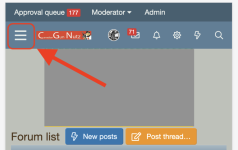
First click "My Stuff"
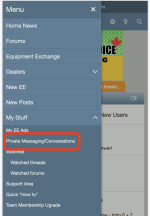
Click "Private Messaging/Conversations"
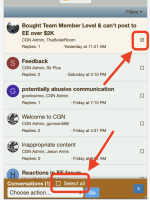
Pick each "conversations" or click "select all" to pick all conversations
Then click the "choose action" to bring out the menu, select " Leave conversations"

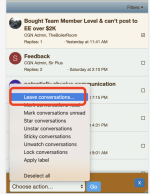
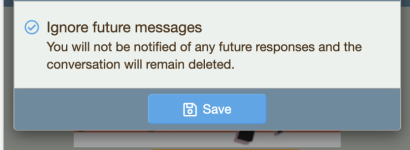
Click "save"
You can either delete messages as follow, or increase the box size by subscribing to a team membership at: www.cgnapparel.com
This is the same for both mobile and desk top.
First click "My Stuff"
Click "Private Messaging/Conversations"
Pick each "conversations" or click "select all" to pick all conversations
Then click the "choose action" to bring out the menu, select " Leave conversations"
Click "save"
Last edited: